Most course creators measure success by how many people buy. That's a natural instinct, but it's only half the picture.
The creators who build genuinely sustainable businesses think about a different number: how much each customer is worth. Not just the first sale, but the total value of that relationship over time.
Kourses is built around that philosophy. Every plan includes three revenue tools, order bumps, upsells and cross-sells, designed to increase what each customer spends, automatically, without you needing more traffic, more ads, or more effort.
Here's how each one works.
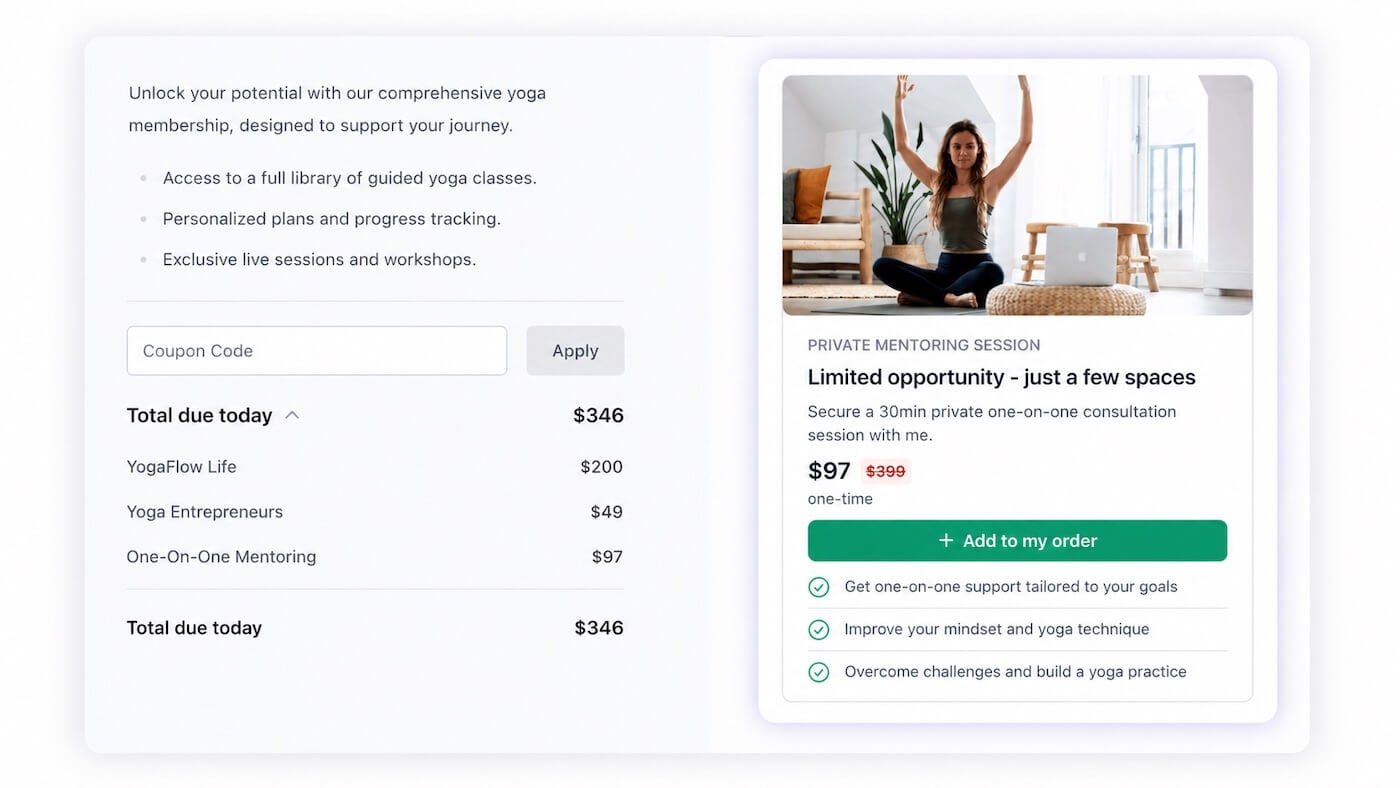
An order bump is an offer that appears directly on your checkout page, right before someone completes their purchase. It's a relevant add-on, such as a bonus module, a workbook, or an extended access option, that your customer can add with a single click, without re-entering their payment details.
The timing is deliberate. Someone at checkout is at peak buying intent. They've already decided to purchase. They're in a yes mindset. A well-placed order bump that complements what they're buying is an easy additional yes.
On average, 20-30% of buyers accept an order bump. On a course priced at $97 with a $27 bump, that's an extra $27 from roughly one in four customers, without a single additional visitor to your site.
Kourses lets you add multiple order bumps to a single checkout page, styled automatically to match your branding. No external tools, no code, no integrations.
Learn how to set up Order Bumps in Kourses
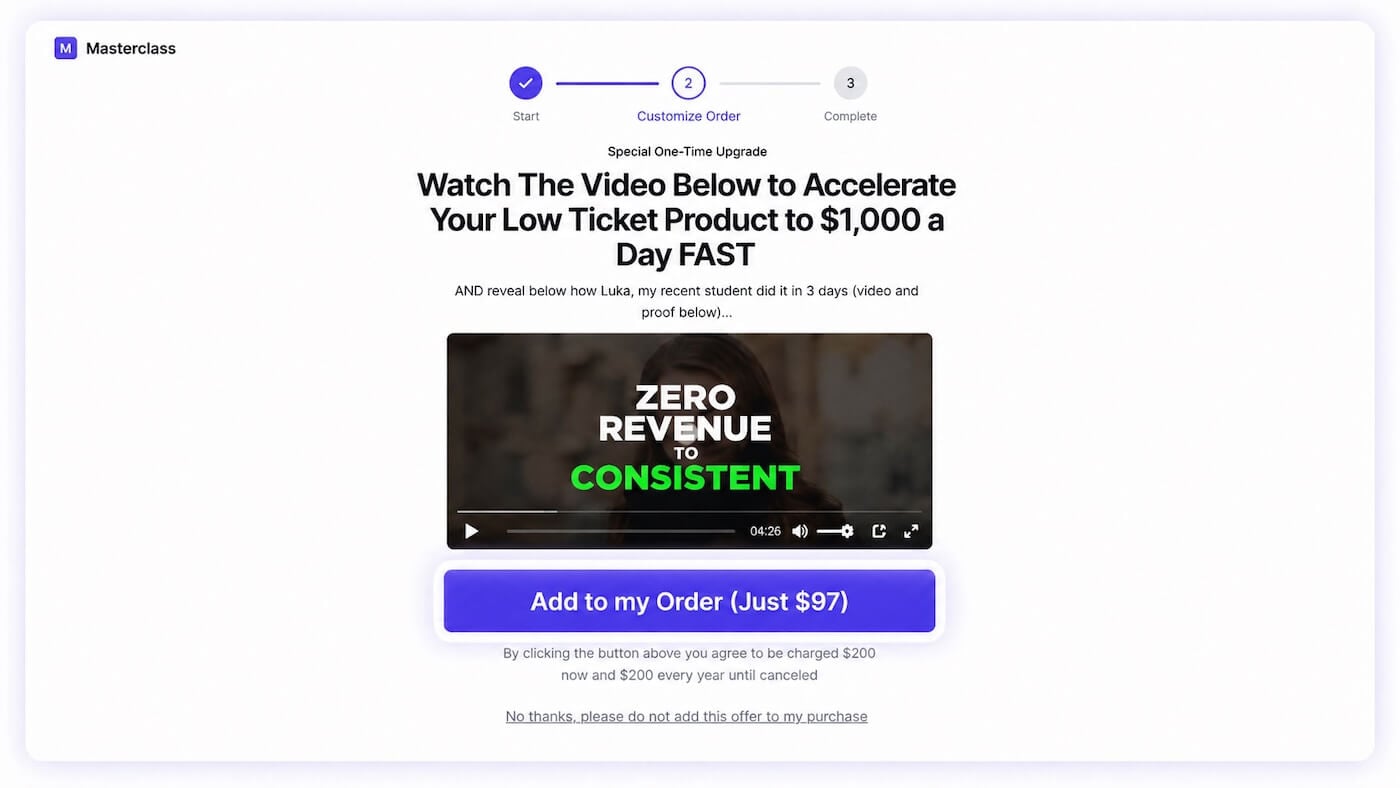
A one-click upsell is presented immediately after a customer completes their purchase, when engagement and trust are at their highest. It might be a premium membership, a more advanced course, a private coaching session, or anything that naturally builds on what they just bought.
Because Kourses has already saved their payment details from the initial purchase, they can accept the upsell with a single click. No forms, no friction, no second thoughts about re-entering a card number.
This is the moment your customer feels most positively about you and your products. A well-matched upsell at this point doesn't feel pushy; it feels like a natural next step.
Learn how to set up One-Click Upsells in Kourses
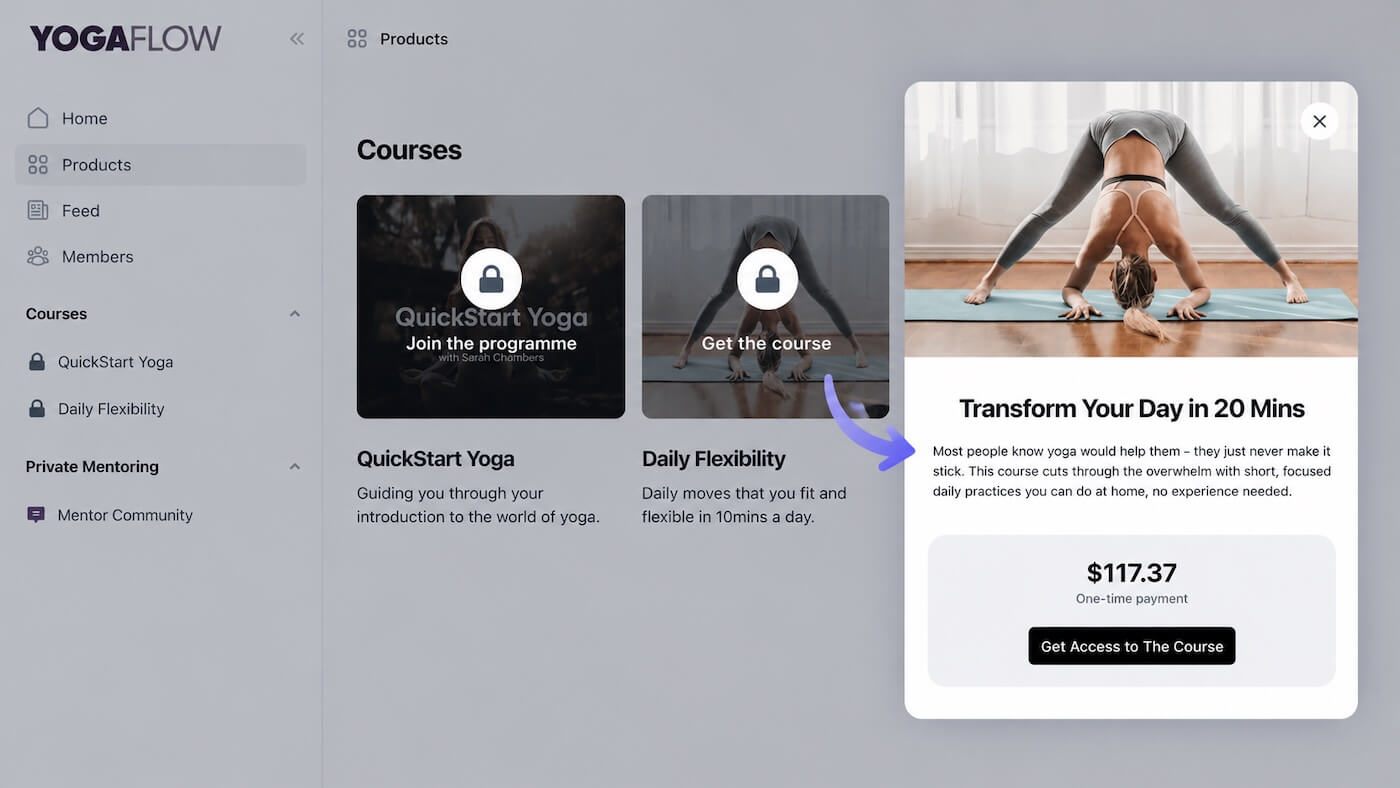
Order bumps and upsells work at the point of sale. Cross-sells appear in your members' area, surfacing other products you offer that your existing members don't yet have access to.
A member who joined your beginner course might be the perfect fit for your advanced programme. A member in your community might not know you also have a standalone digital download they'd find valuable. Cross-sells make those connections visible, naturally and without friction.
Because these are people who already trust you and have already bought from you, the conversion rate on cross-sells is typically higher than on cold traffic. You're not convincing anyone, you're just showing existing customers what else is available.
Learn how to set up Cross-Sells in Kourses
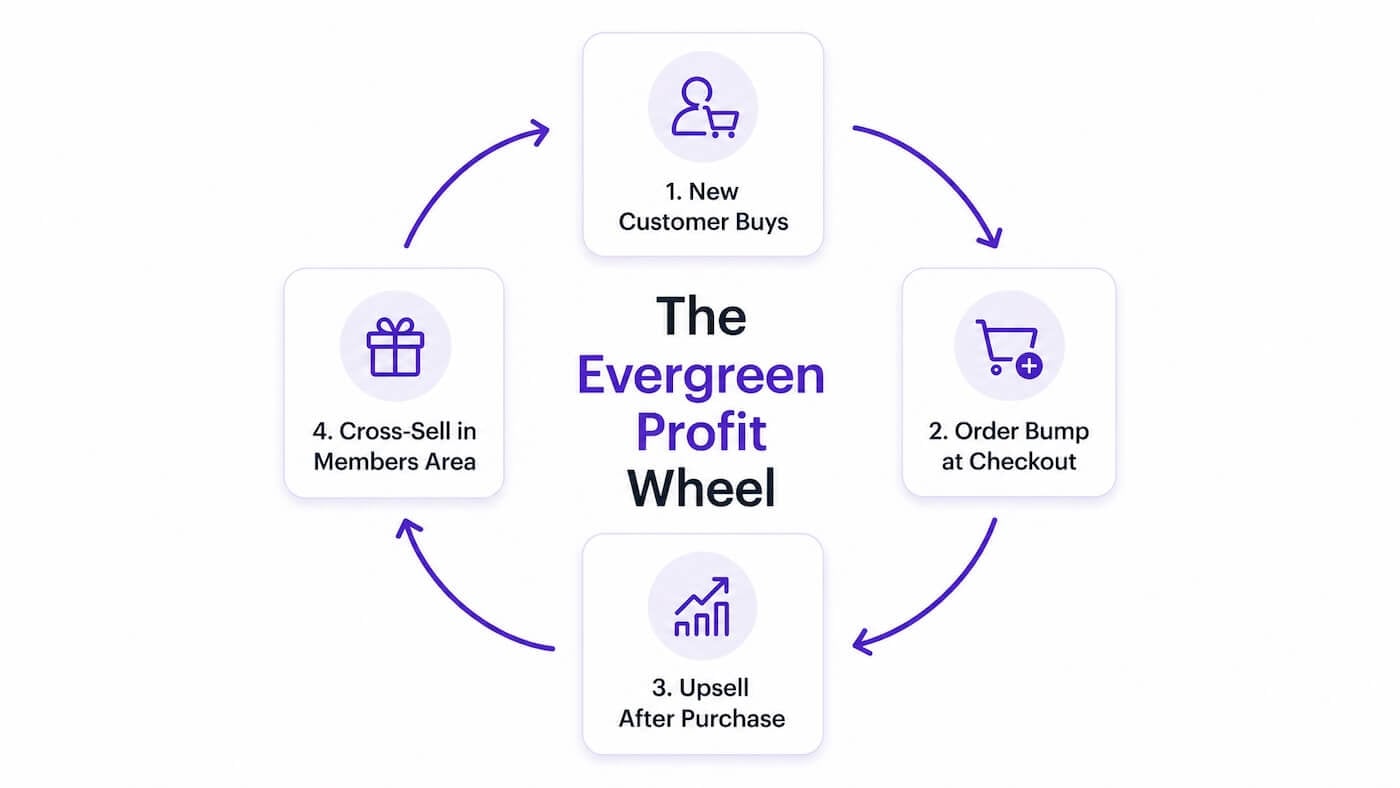
Used together, these three tools create something more powerful than any one of them alone.
A new customer finds your course. They buy. An order bump adds a relevant extra at checkout. An upsell offers them something more right after purchase. And once they're inside your members' area, cross-sells surface your other products over time.
More revenue from the same customer. More profit to reinvest in reaching new ones. A business that grows without needing to constantly chase new traffic.
That's the evergreen wheel. And it runs automatically inside Kourses, on every plan, from day one.
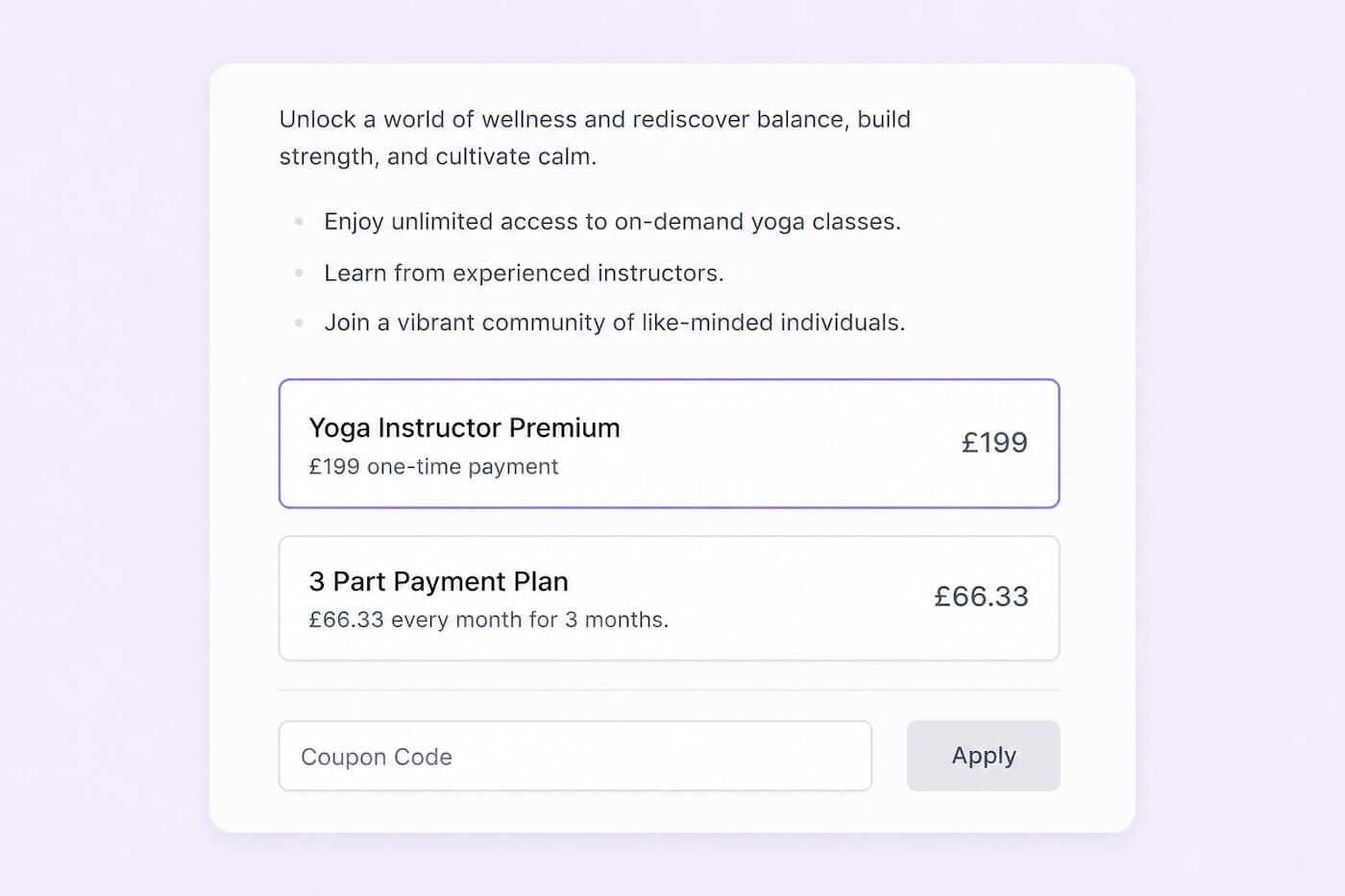
Not every customer wants to pay the same way. Some prefer a single upfront payment. Others are more likely to buy if they can spread the cost over time. And for memberships, recurring subscriptions are what build predictable monthly revenue.
Kourses supports all of these out of the box. One-time payments, recurring subscriptions, monthly, quarterly or annual billing, and instalment plans that let buyers pay over time while keeping full access to your content. No extra tools, no plugins, no complicated setup.
The more flexible your payment options, the more customers you convert. It's that simple.
Learn more about Flexible Payment Options in Kourses
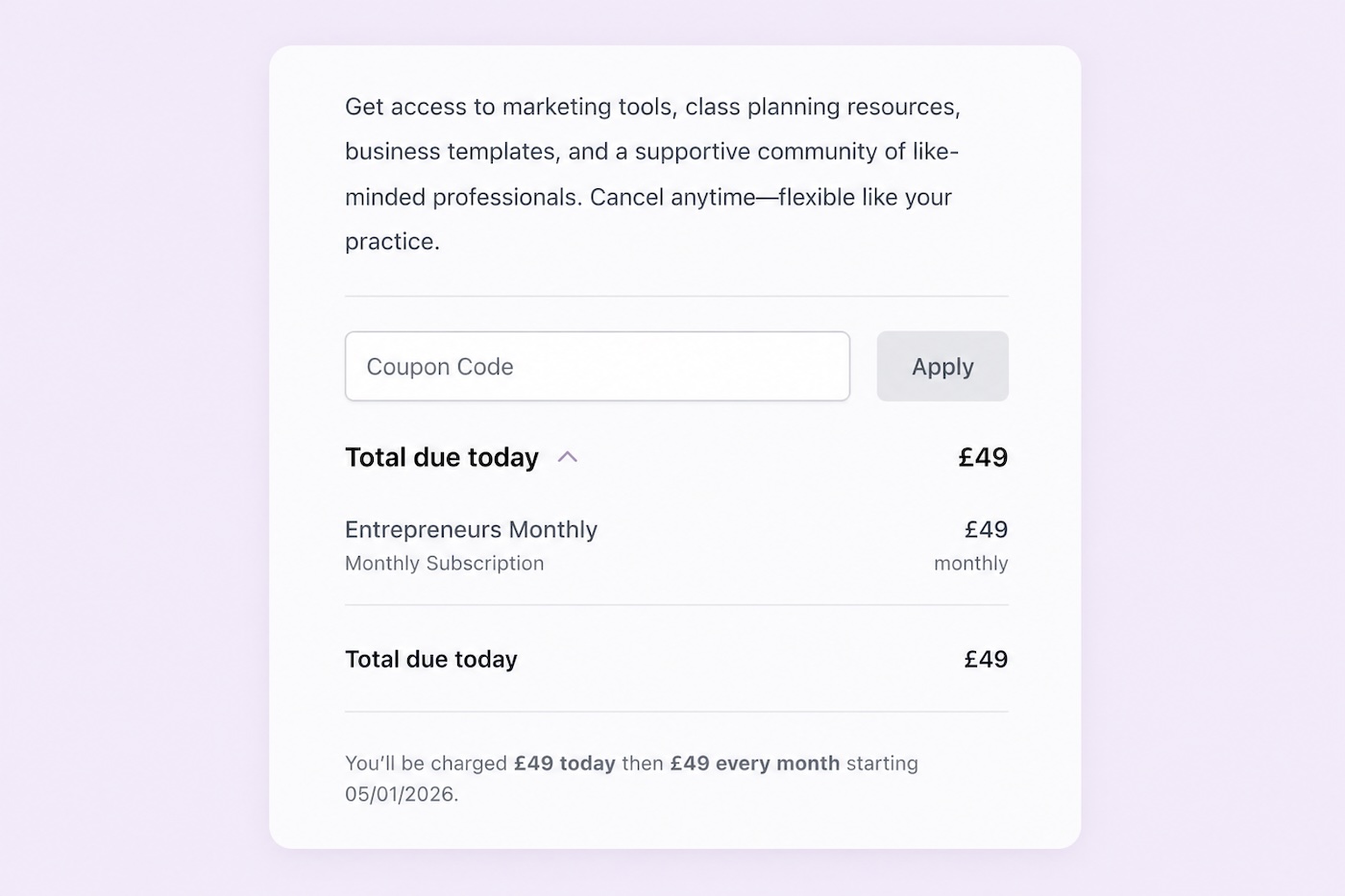
Sometimes you need a promotional tool. A launch discount, a reward for loyal members, a limited-time offer to drive urgency. Kourses has a built-in coupon system that lets you create discount codes in minutes.
Set a percentage or fixed amount discount, limit usage, set an expiry date or restrict codes to specific products. Everything you need to run a promotion without a separate tool.
Learn more about Coupons in Kourses
Most buyers don't purchase on the first attempt. They get distracted, close the tab, or decide to think about it. Abandon cart recovery gives you a second chance at that sale.
When a potential customer leaves your checkout without completing their purchase, Kourses detects it automatically and triggers a recovery notification through your connected CRM. That CRM then sends a follow-up email with a direct link back to their active checkout session, no re-entering details, no starting over.
Once set up, it runs in the background reclaiming revenue you would otherwise have lost.
Learn more about Abandon Cart Recovery in Kourses
All three revenue tools are available in your Kourses account right now. The only prerequisite is having at least one product live, and ideally two or more to make the most of upsells and cross-sells.
If you haven't yet set up your first product, start with the setup guide. You'll find it under your account avatar in the top-right corner of your dashboard.
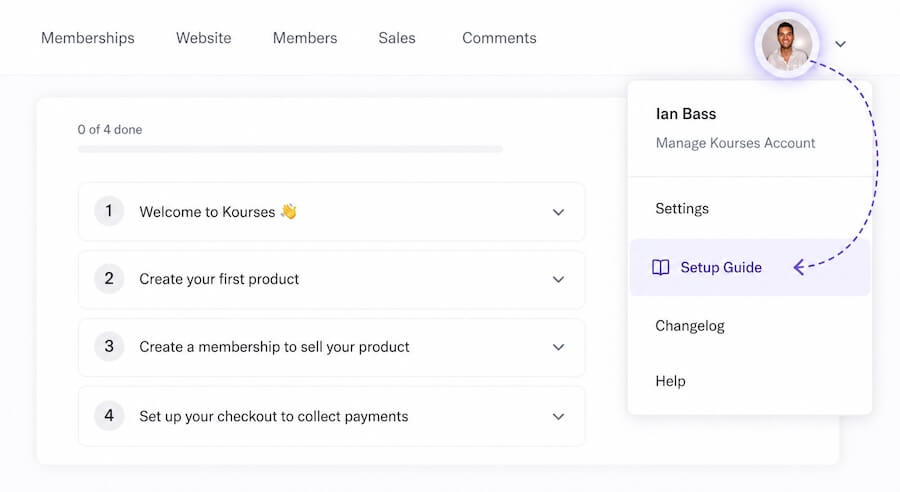
Once your first product is live, these are the next things to set up. Don't leave revenue on the table from your very first sale.
If you have any questions about setting up order bumps, upsells, or cross-sells, our team is available via live chat.
If you have any questions about setting up order bumps, upsells, or cross-sells, our team is available via live chat.
Login here to start building your Evergreen Profits Wheel using our Order Bump, Upsells and Cross Sells features.