The quality of your course content gets members in the door. The quality of their experience keeps them there.
Kourses is built around that idea. Every course feature is designed to make your content look its best, deliver automatically, and keep members engaged without any ongoing technical work on your part.
Here's what's included and why it matters.
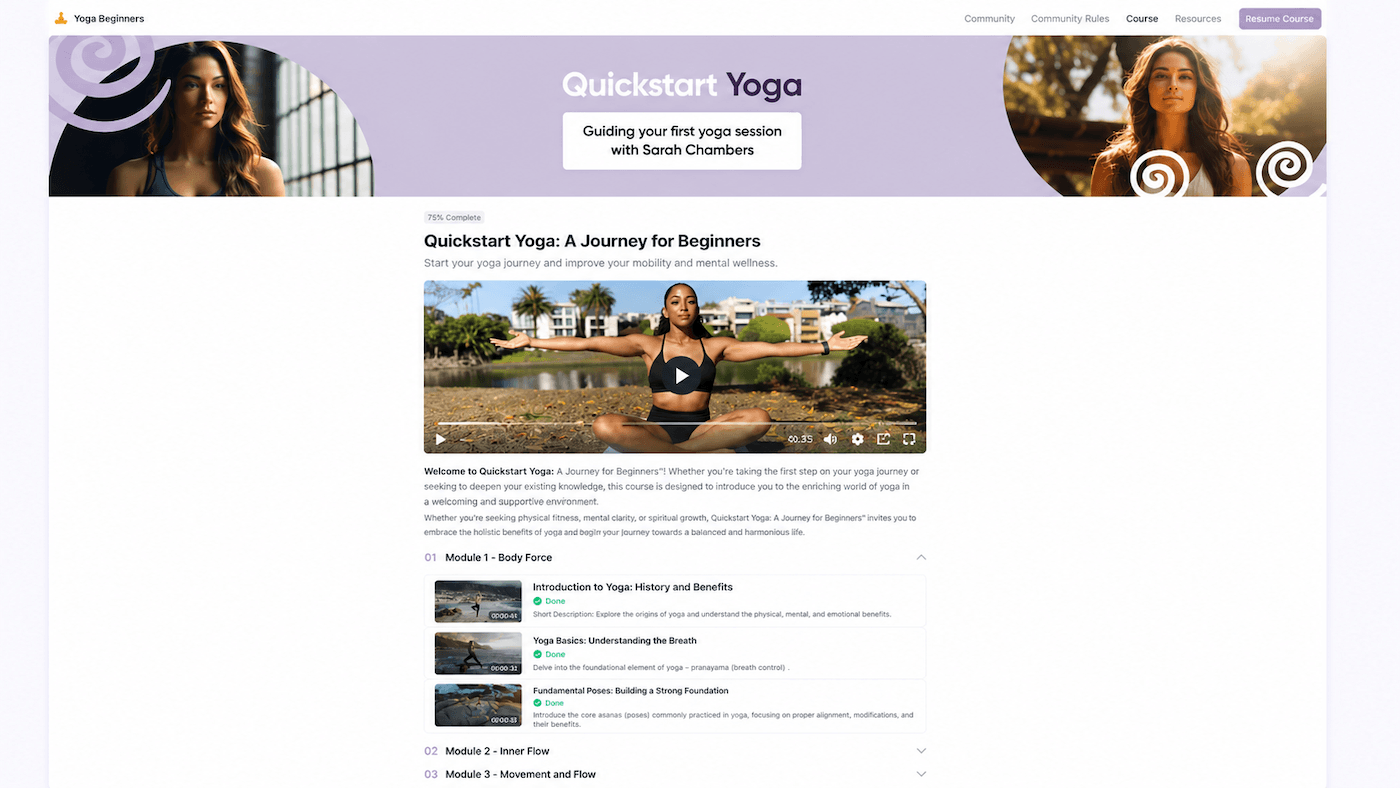
Your members see a beautifully designed, fully branded course portal with no ads, algorithms, or distractions. Clean lesson layouts, fast navigation and a focused interface mean members spend their time learning, not figuring out how to use the platform.
You don't design any of this. Kourses handles the layout and styling automatically. Your job is the content.
How to manage your course modules and lesson settings
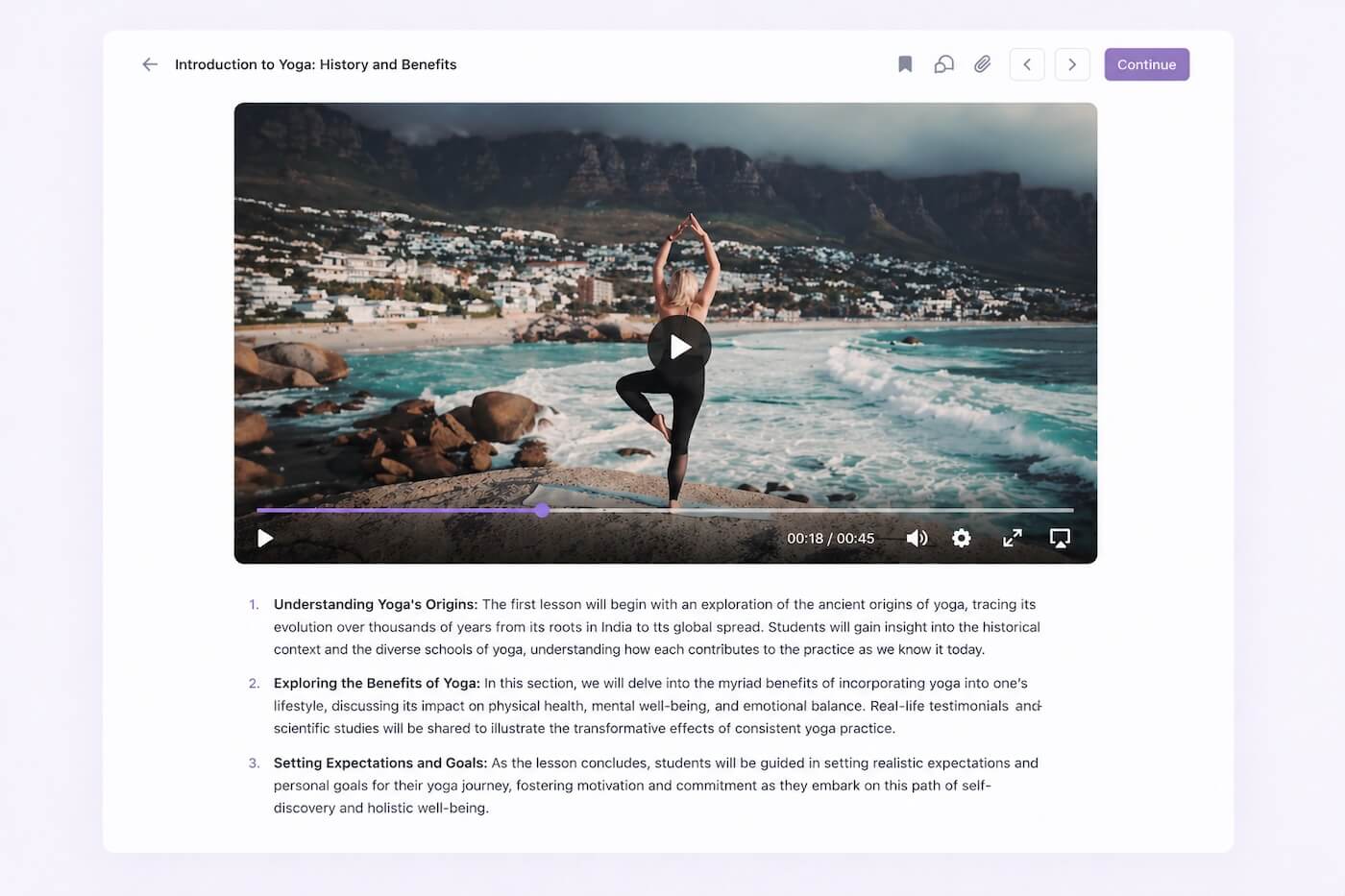
Upload your videos directly to Kourses. No YouTube embeds, no Vimeo subscription, no third-party hosting required. Videos stream fast, ad-free and look great on any device.
Your content stays inside your platform, under your brand, with no risk of a pre-roll ad appearing before your lesson.
How to add a lesson and upload your video in Kourses
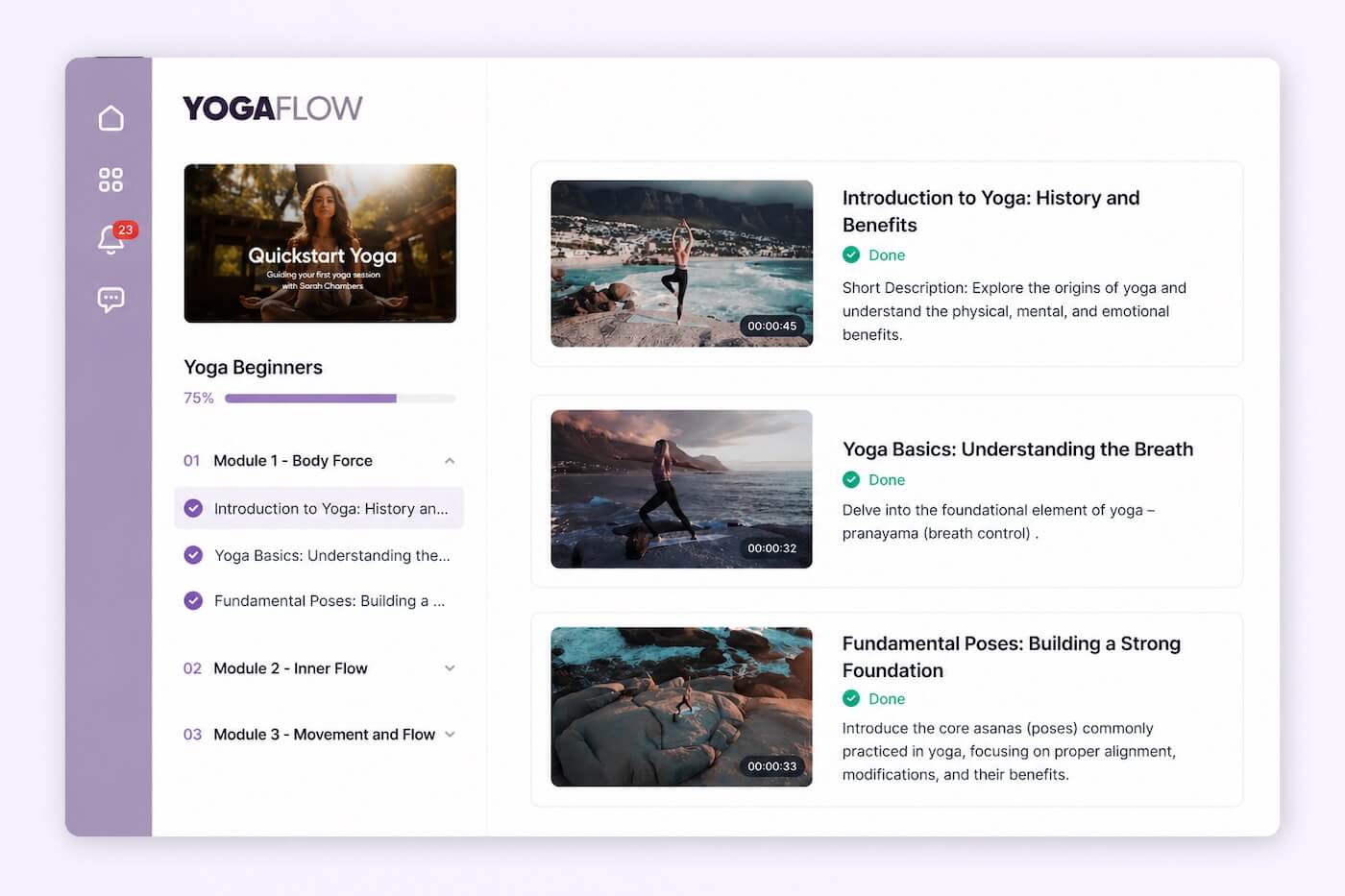
Members can see exactly how far through your course they are and what lessons remain. That simple visual motivator significantly increases completion rates. Members who complete courses are more satisfied, more likely to renew and more likely to buy from you again.
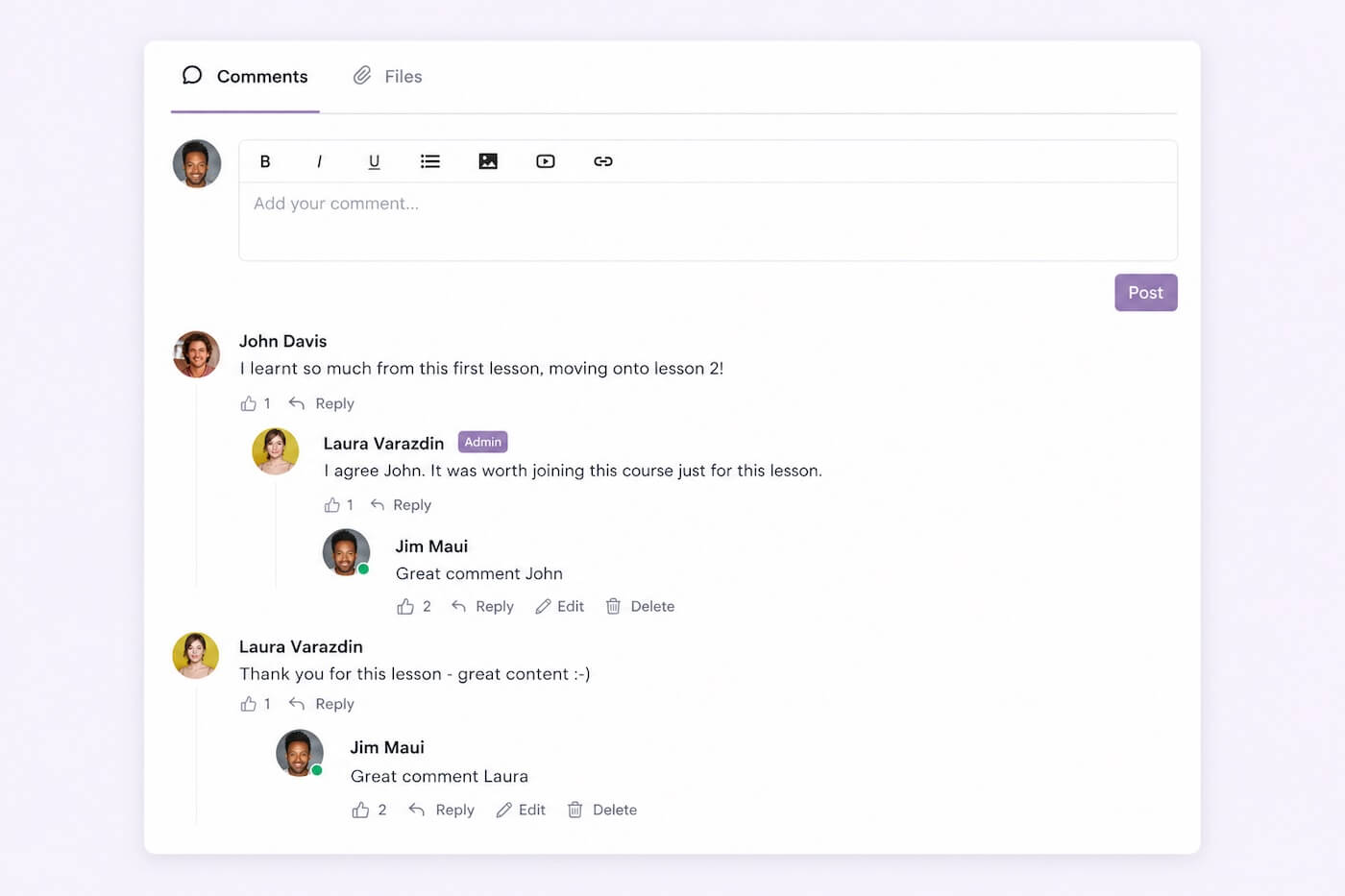
Every lesson can have its own comment feed where members ask questions, share insights and interact with each other and with you. It creates a learning community around your content without needing a separate community space.
You can enable or disable comments per lesson, giving you full control over the conversation.
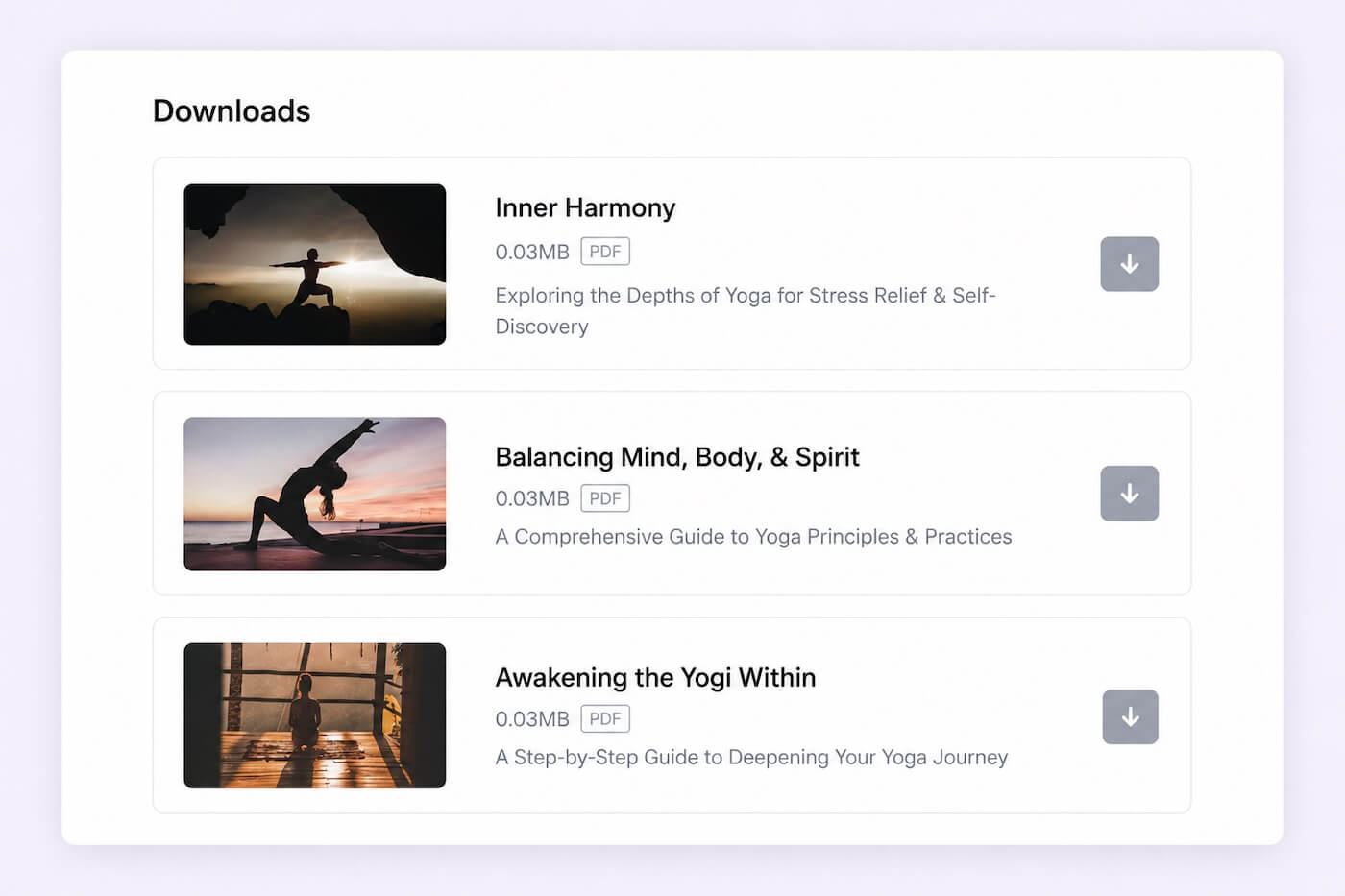
Attach worksheets, templates, PDFs, or any downloadable resources directly to a lesson. They're hosted securely inside Kourses and delivered instantly when a member accesses that lesson. No separate file hosting, no Dropbox links, no extra tools.
How to add downloadable resources to your lessons
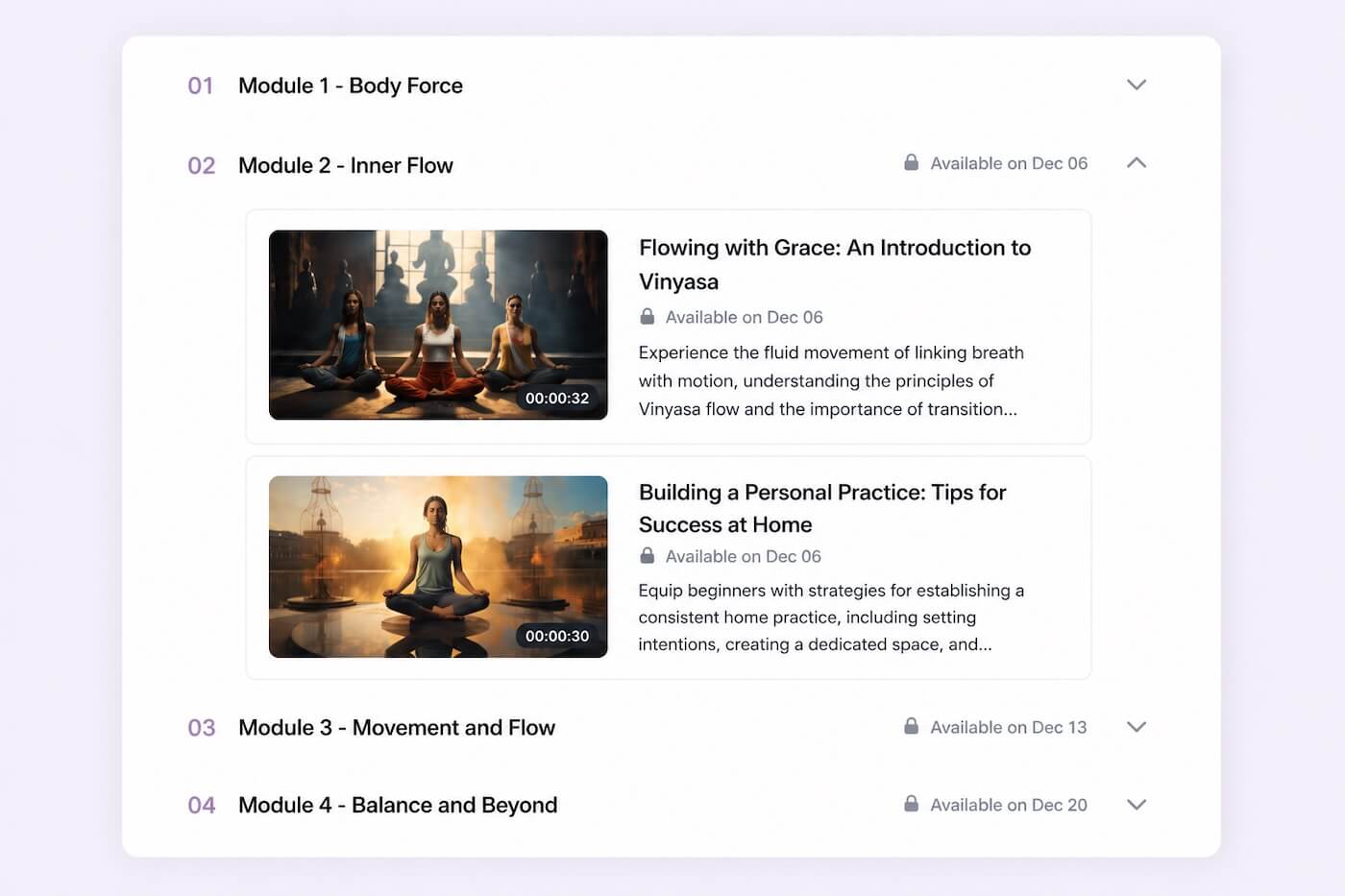
Release lessons automatically on a schedule based on when a member enrolled. Set it once, and Kourses handles the rest. Members receive an automatic notification when new content unlocks, giving them a reason to return regularly.
Drip content works for both evergreen courses and fixed cohort launches. Every member gets the right content at the right time, regardless of when they joined.
Note: Prefer to give members access to everything straight away? That's just as simple. Toggle between drip and instant access at any time.
How to set up drip content scheduling in Kourses
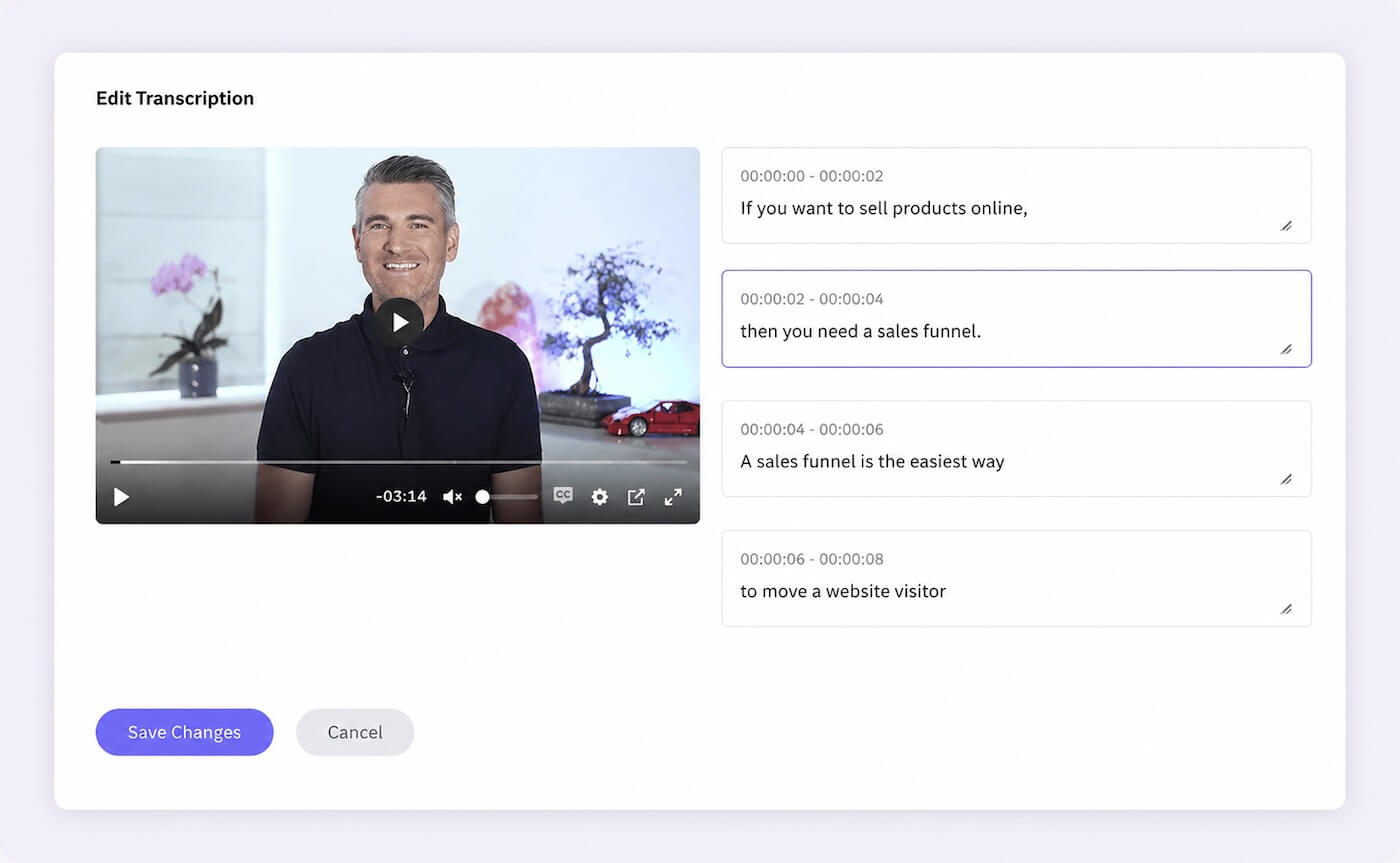
Kourses automatically generates transcriptions for your video lessons, improving accessibility and enabling your content to be searchable. Members can search for specific topics or phrases within your course content.
How to transcribe your videos and make your content searchable
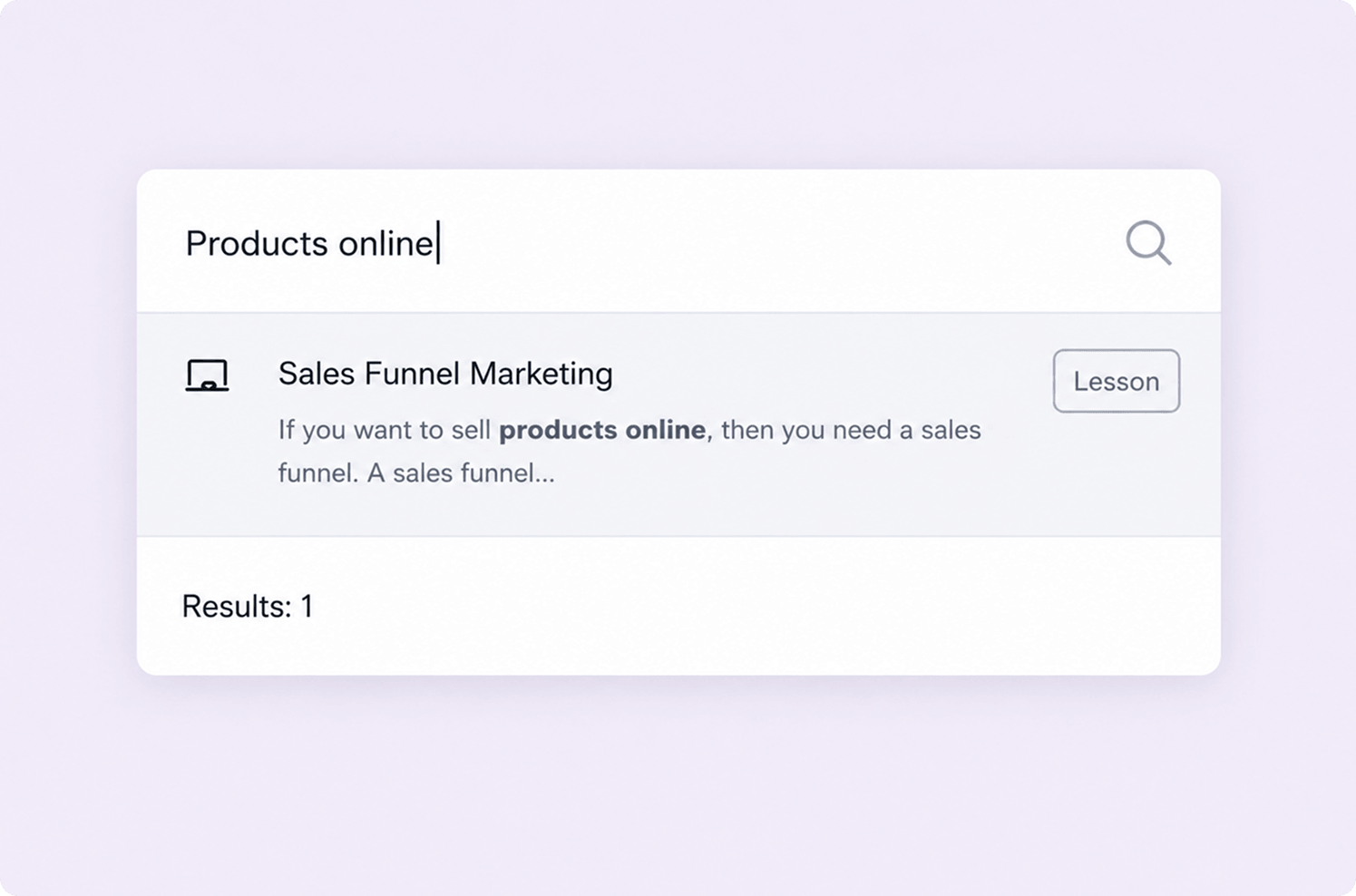
Members can search across your entire course library to find exactly what they need. Particularly useful for reference-style courses where members return to specific lessons over time. Your written content is searchable as soon as it is published, video content becomes searchable as soon as it has been transcribed.
Building your first course in Kourses is straightforward. Create your modules, add your lessons, upload your videos and attach any resources. Kourses handles the design, hosting, and delivery.
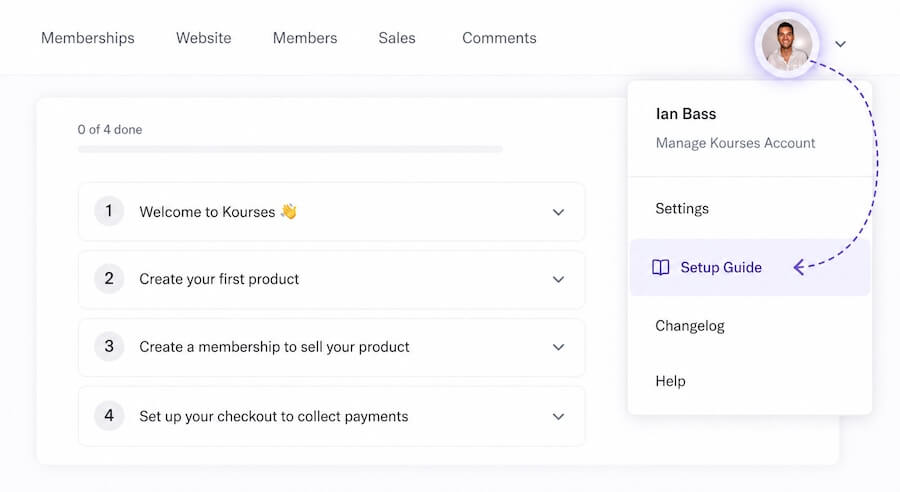
If you haven't yet created your first course, your setup guide is the best place to start. You'll find it under your account avatar in the top right corner of your dashboard.
If you have any questions about building your course, our team is available via live chat inside the platform.
How to create and manage your course products in Kourses
Ready to put this into practice?
Log in to your Kourses account and start setting up today. If you have any questions our team is available via live chat inside the platform.
Not yet a Kourses member? Start your free 14-day trial